
Kia Connect is a smart system that links your smartphone to your vehicle. It turns your phone into a remote control for your car. You can check your car’s status, lock doors, or start the engine from anywhere. This technology makes daily driving much easier and more comfortable for every owner. With Kia Connect, you have total control at your fingertips. It is designed to keep you safe and connected while you are on the road. Many modern drivers find these features essential for a smooth, stress-free morning routine.
Getting Started: How to Use Kia Connect
Setting up your Kia Connect account is a very simple process. First, download the official mobile app from your app store. Create your account and log in using your email address. Next, go to your car’s navigation screen and select the Kia Connect menu. You will need to enter a verification code to link your phone. Once the link is confirmed, you can start using all the remote tools immediately. It is a quick way to upgrade your driving experience in just a few minutes.
The Power of Remote Start and Climate Control
One of the best parts of Kia Connect is the remote start feature. You can start your car’s engine before you even leave your house. This is perfect for hot summer days or cold winter mornings. You can also adjust the climate control to make the cabin temperature perfect. When you finally step inside, your car is already waiting for you in total comfort. Using Kia Connect to prepare your vehicle saves time and makes your commute much more pleasant every single day.
Using Digital Key for Easy Access
The Kia Connect system also supports a cool Digital Key feature. This allows you to lock and unlock your doors using your smartphone. You no longer need to search your pockets or bags for your key fob. Simply walk near your car, and it recognizes your phone automatically. You can even share this digital key with family members or friends through the app. It provides a secure way to let others access your car without needing a physical key. This modern convenience is a game changer for busy families.
Keeping Your Car Safe with Security Alerts
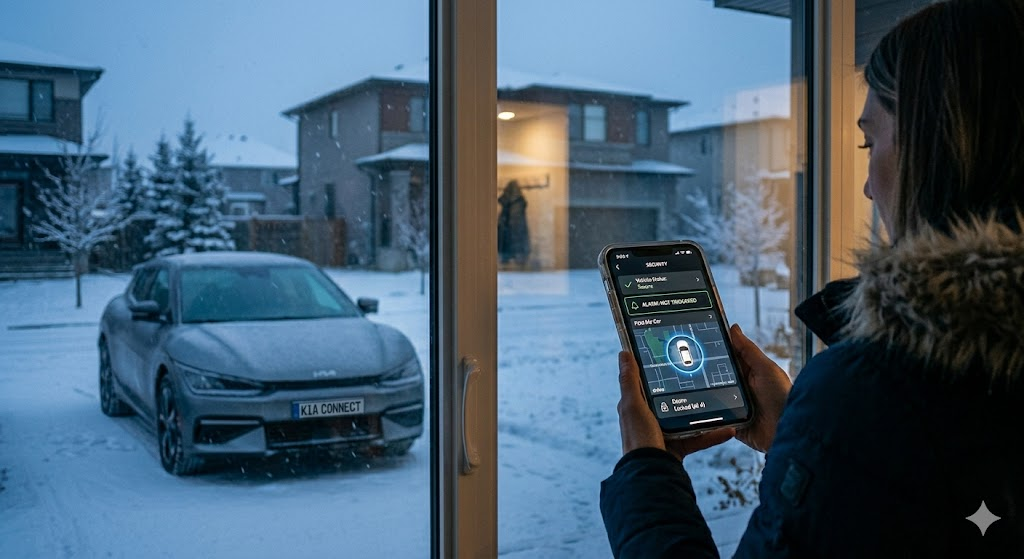
Security is a top priority for every driver, and Kia Connect helps you stay informed. You will get alerts on your phone if your car’s alarm goes off. If you are worried about where you parked, the “Find My Car” feature is very helpful. It shows you exactly where your vehicle is located on a map. You can also use the app to check if your doors are locked when you are away. This peace of mind is priceless when you are out running errands or traveling far.
Smart Routing and Navigation Tips
Did you know Kia Connect can help you find the best path to your destination? The connected routing system uses real-time traffic data to avoid delays. You can send locations from your phone directly to your car’s screen. This saves you from typing addresses while you are sitting in the driver’s seat. Whether you are driving across town or going on a long road trip, these tools help you arrive faster. Kia Connect navigation is truly built to make every journey efficient and simple.
Vehicle Diagnostics at Your Fingertips
Maintaining your car is easier when you use Kia Connect for health checks. The app can scan your vehicle to report its current status. You will receive notifications if your tires need air or if an oil change is due. It even alerts you if there is an issue with the engine or battery. Staying ahead of maintenance helps your car last longer and run smoothly. With Kia Connect, you are always aware of your vehicle’s needs before they become a big problem.
Managing Your Account and Subscriptions
After your free trial, Kia Connect offers different subscription tiers to fit your lifestyle. You can choose a plan that includes only the basics or one with all premium features. The app makes it very easy to manage your billing and settings at any time. If you decide to sell your vehicle, remember to unlink your account first. This keeps your data private and helps the next owner set up their own service. Managing your Kia Connect account is simple and gives you full control over your digital features.
Useful Tips for the Best Experience
For the best experience, keep your phone’s software updated to the latest version. Ensure your car has a good cellular signal to receive remote commands quickly. If you are struggling with a command, check that your doors are fully closed and locked. Always keep your password secure and never share it with people you do not trust. By following these simple habits, you can enjoy a perfect connection with your car. Kia Connect is designed to work reliably as long as you follow these basic usage rules.
Solving Common Connection Issues
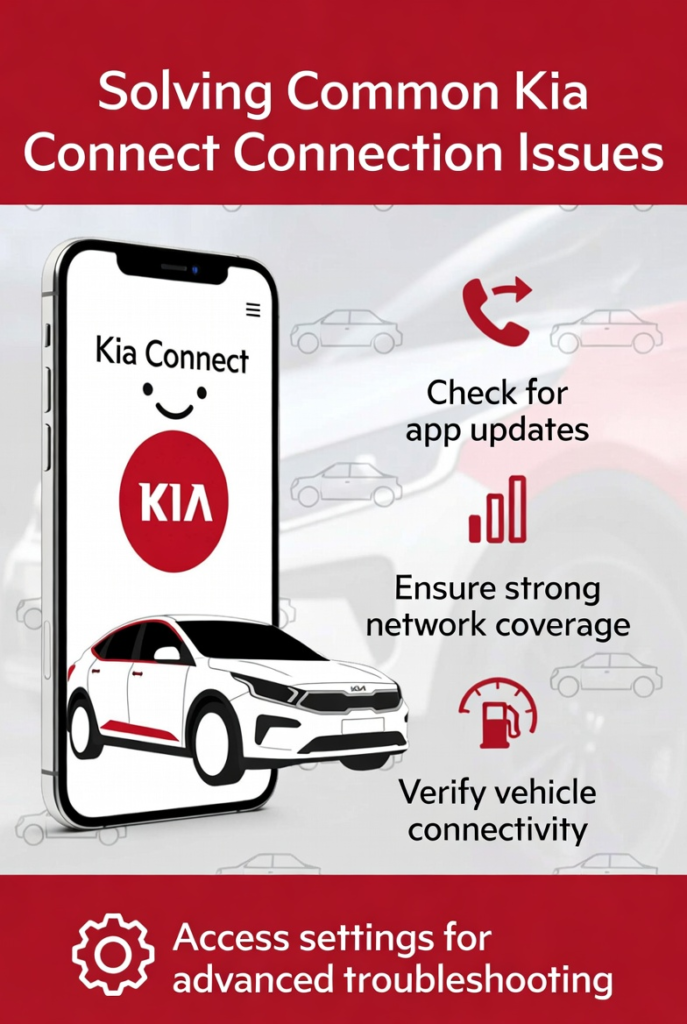
Sometimes technology needs a quick reset. If your Kia Connect app is not responding, try closing and reopening it. You can also check if your car is parked in an area with good network coverage. If the remote start fails, make sure you have enough fuel in the tank. Most issues are minor and can be fixed by simply checking your settings. If problems continue, your local dealership can help you troubleshoot the system. Using Kia Connect should be effortless, so don’t hesitate to reach out for support.
Kia Connect Feature Summary Table
| Feature Category | Key Capability | Benefit to Driver |
| Remote Control | Engine Start & Climate | Comfortable cabin upon entry |
| Vehicle Security | Lock/Unlock & Find My Car | Added safety and peace of mind |
| Smart Navigation | Connected Routing | Saves time during your commute |
| Maintenance | Diagnostic Alerts | Extends vehicle life and health |
| Keyless Entry | Digital Key Access | Convenient phone-based unlocking |
Frequently Asked Questions
1. Is Kia Connect free to use?
Many new models come with a generous free trial period. After that, you can select a subscription plan that fits your needs.
2. Does Kia Connect work on all older models?
It is mainly available on newer vehicle models. You should check your specific vehicle’s eligibility with your local dealer.
3. Can I use Kia Connect without a smartphone?
The system is designed for smartphone use. You need the app to access most remote features and settings effectively.
4. How do I troubleshoot a failed remote start?
Check if the doors are locked and the vehicle is in Park. Ensure you have enough fuel and a stable signal.
5. Is my data safe with Kia Connect?
Yes, Kia uses secure protocols to protect your personal information and vehicle data at all times.
6. Can I link multiple drivers to the same car?
Yes, you can share access and use the Digital Key feature to allow family members to drive your vehicle.
Conclusion
Kia Connect is a powerful tool that brings your car into the digital age. It simplifies your daily tasks, adds layers of security, and makes every drive more comfortable. Whether you are using remote start to beat the cold or relying on smart navigation to save time, you are in control. We encourage you to set up your account today and start enjoying these amazing benefits. Have you tried any of these features yet? Let us know which one is your favorite in the comments below!